Open a shift
Open a shift before taking any money. The shift counts what goes in and out of the cash drawer, so that at closing Mayam knows what the drawer should hold.
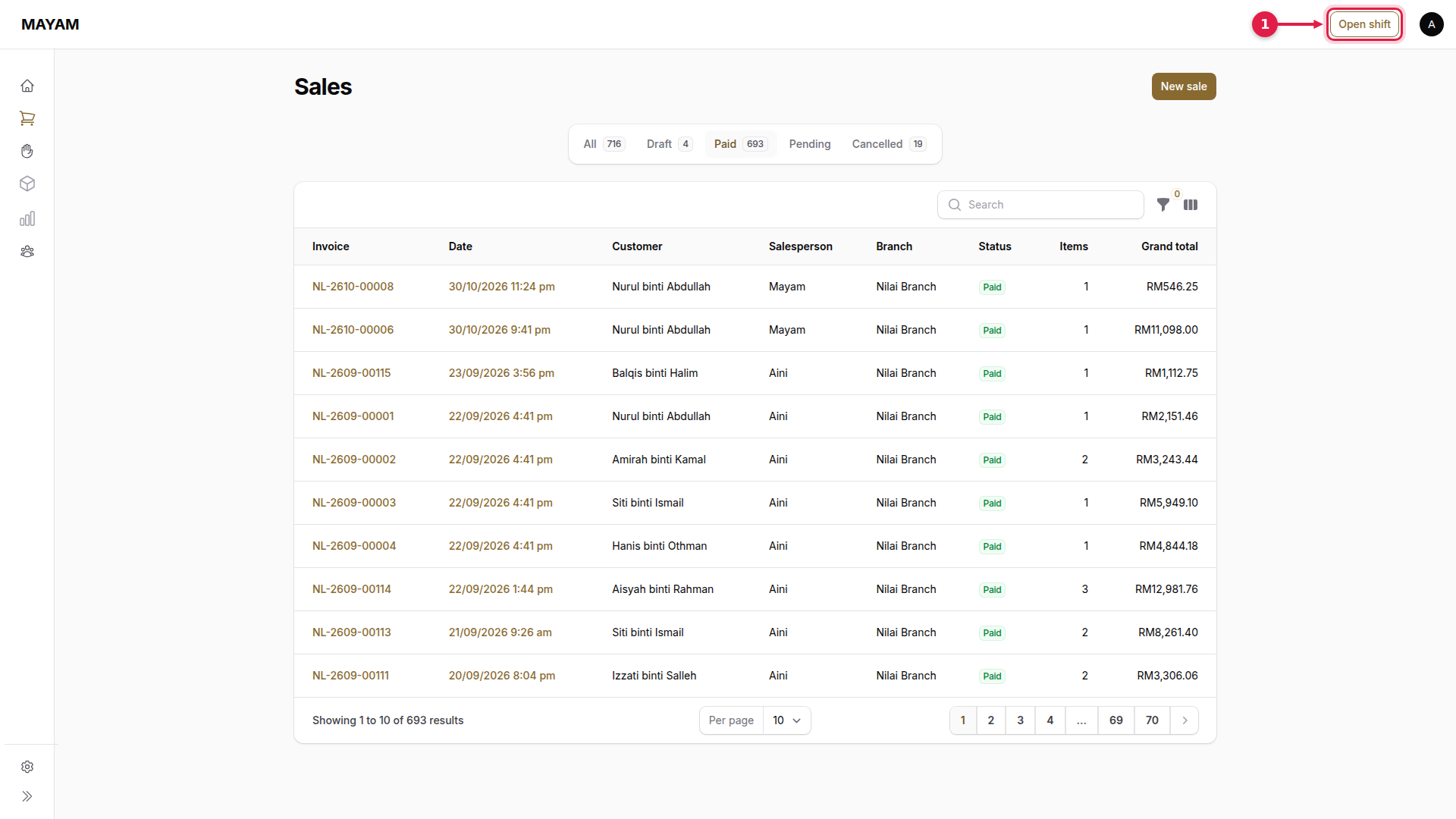
1. Press Open shift in the top bar
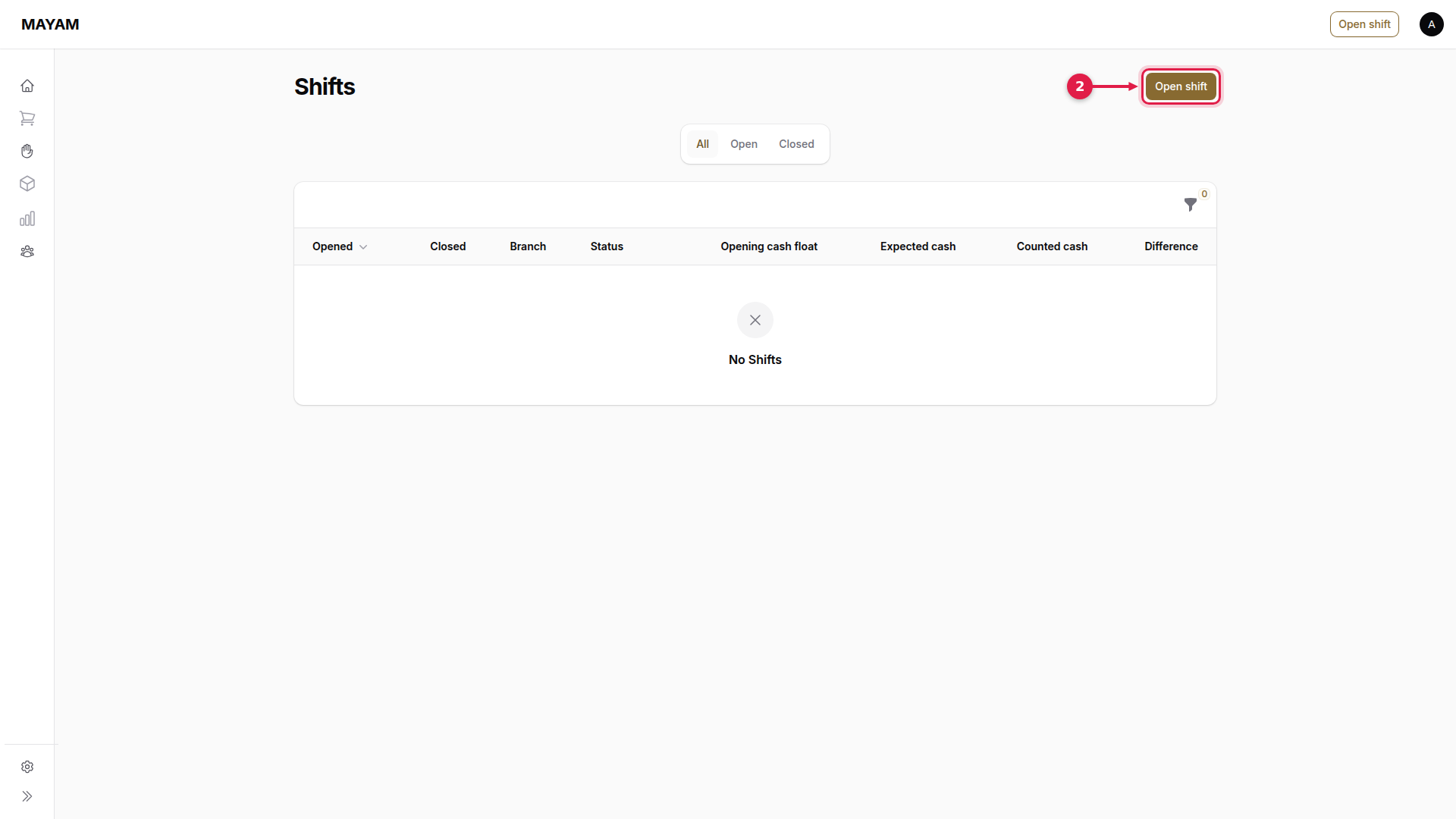
2. Press Open shift
The Shifts page opens. Press Open shift.
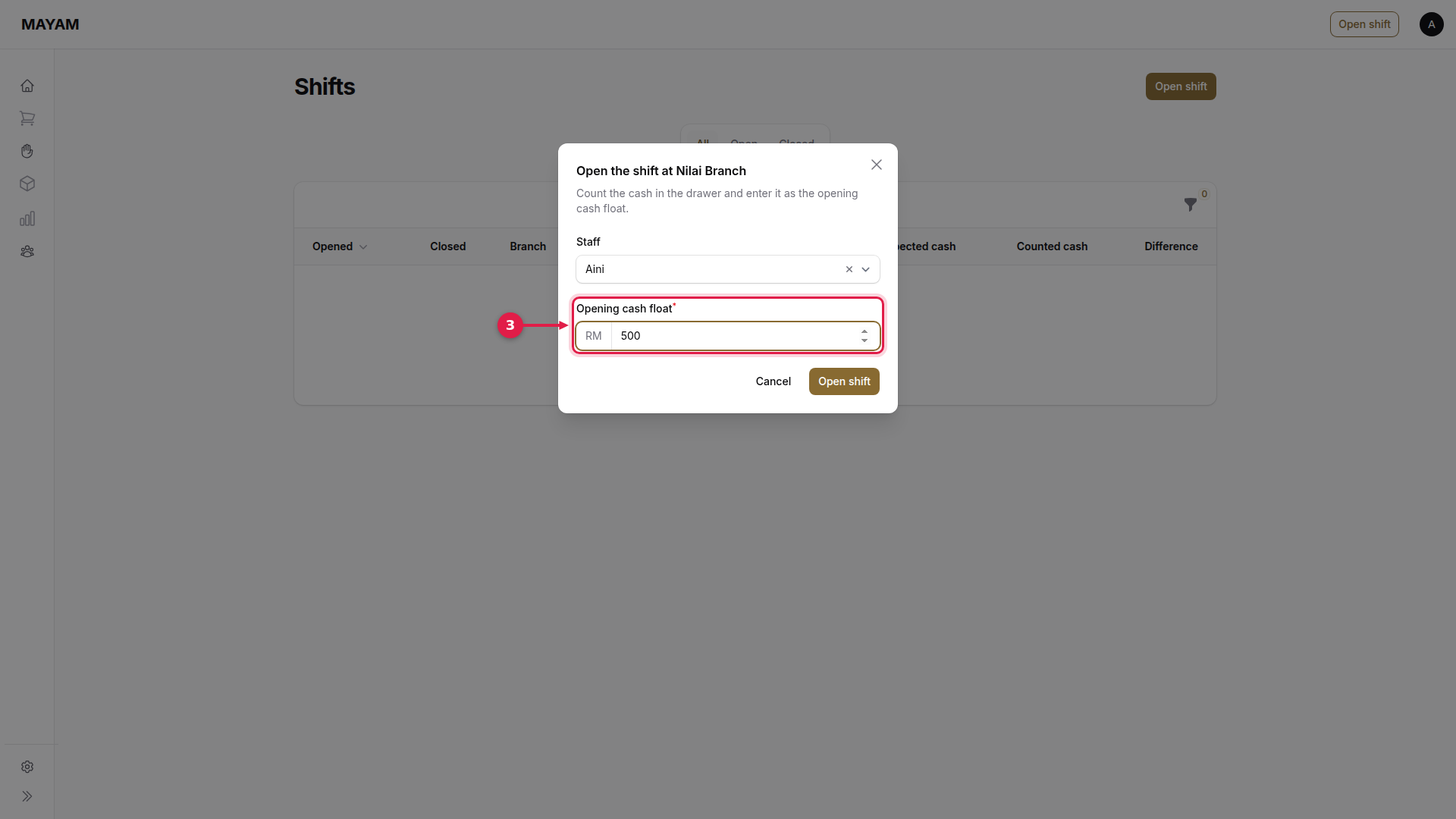
3. Key the opening cash float
Count the cash in the drawer and key it in. Staff is you; at a counter login, enter your PIN.
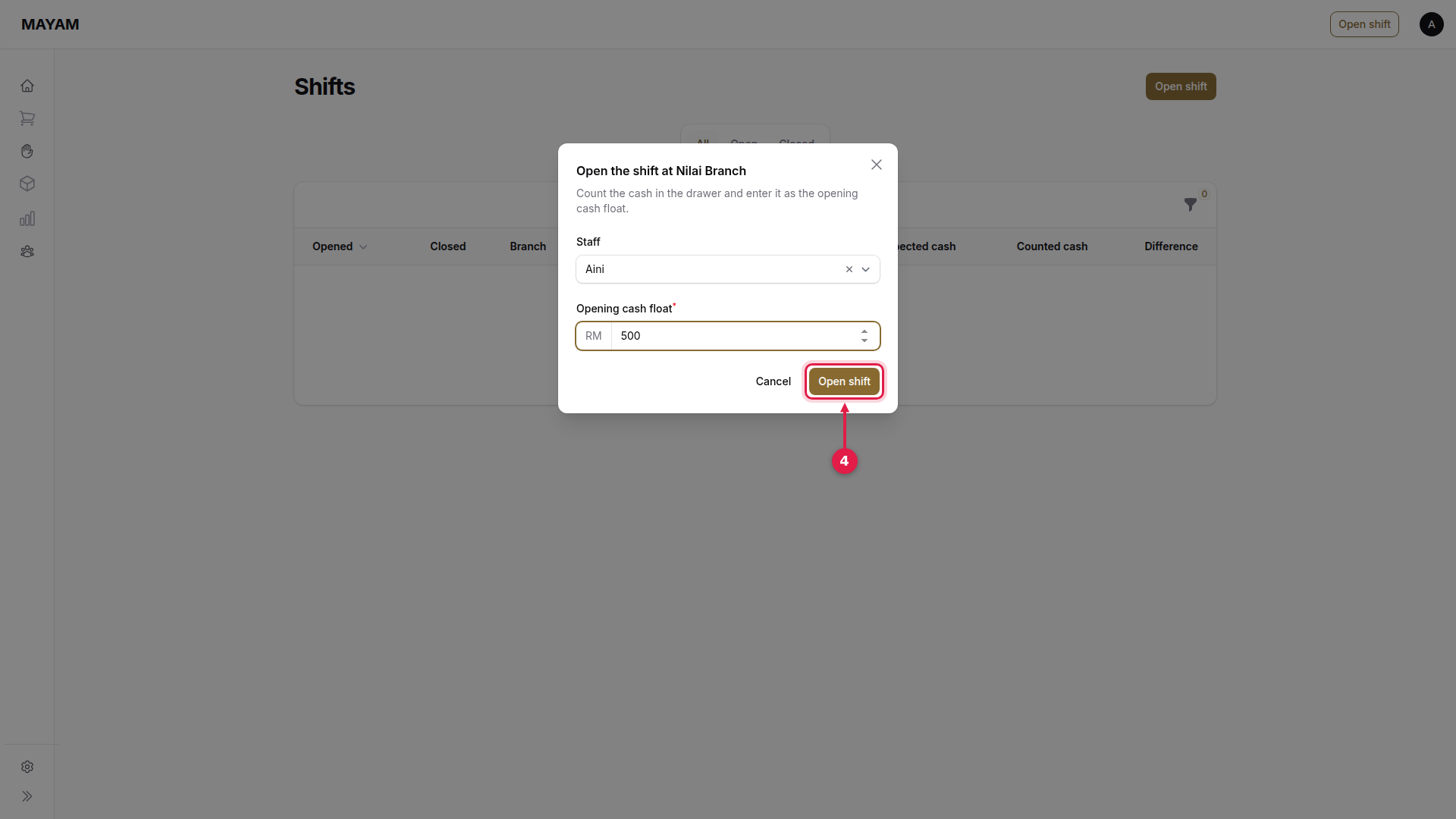
4. Press Open shift
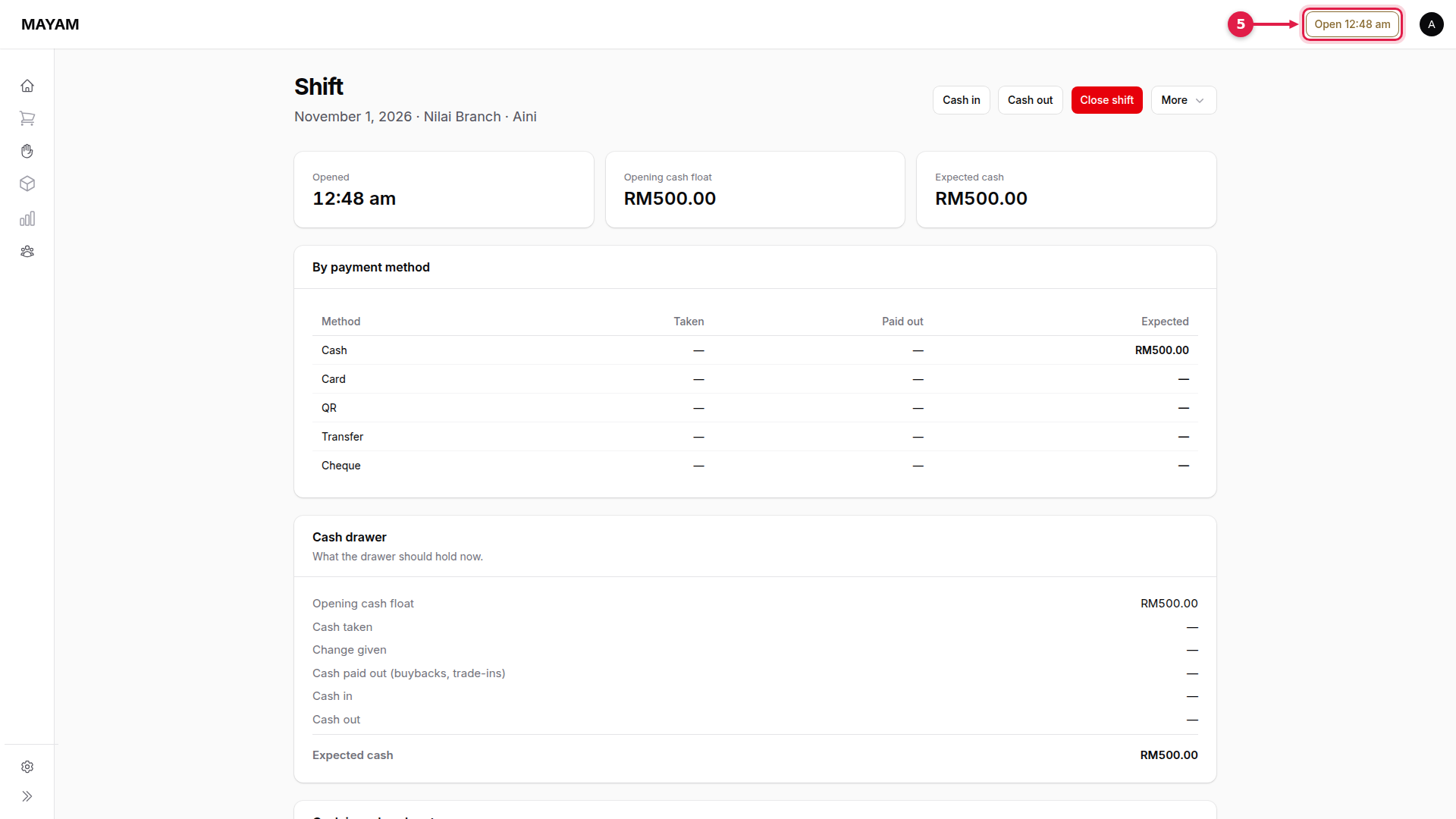
5. Check the shift is open
The top bar shows the time the shift opened. Press it any time to see the Shift page, with Cash in, Cash out and Close shift.
{% hint style="info" %} With no shift open, the Sales, Service and Buyback screens show a banner and will not start a new document.