Collect a booking
When the customer comes back for their booking, turn it into a sale.
1. Open the booking
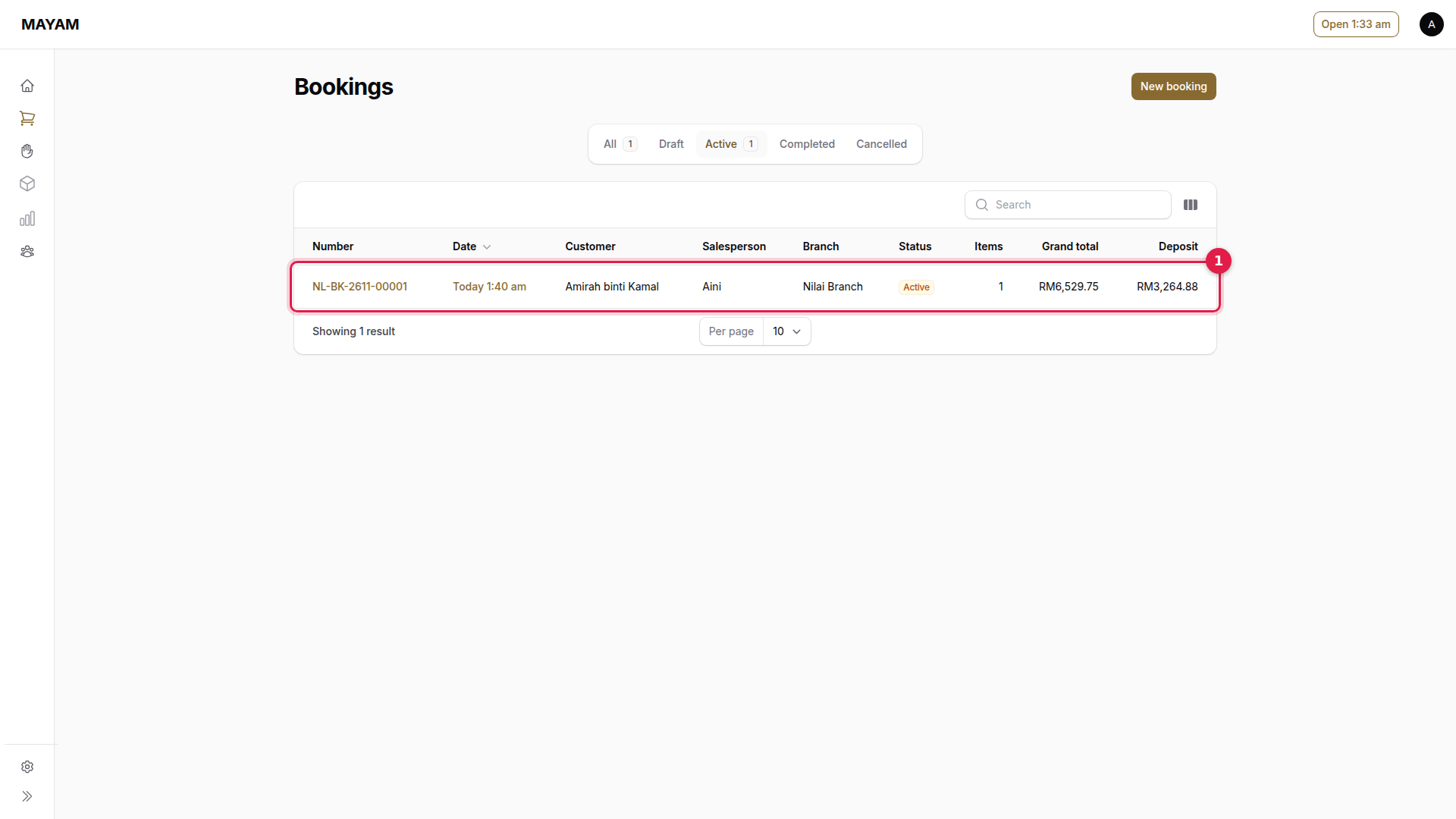
Go to Counter → Bookings → Active and press the booking.
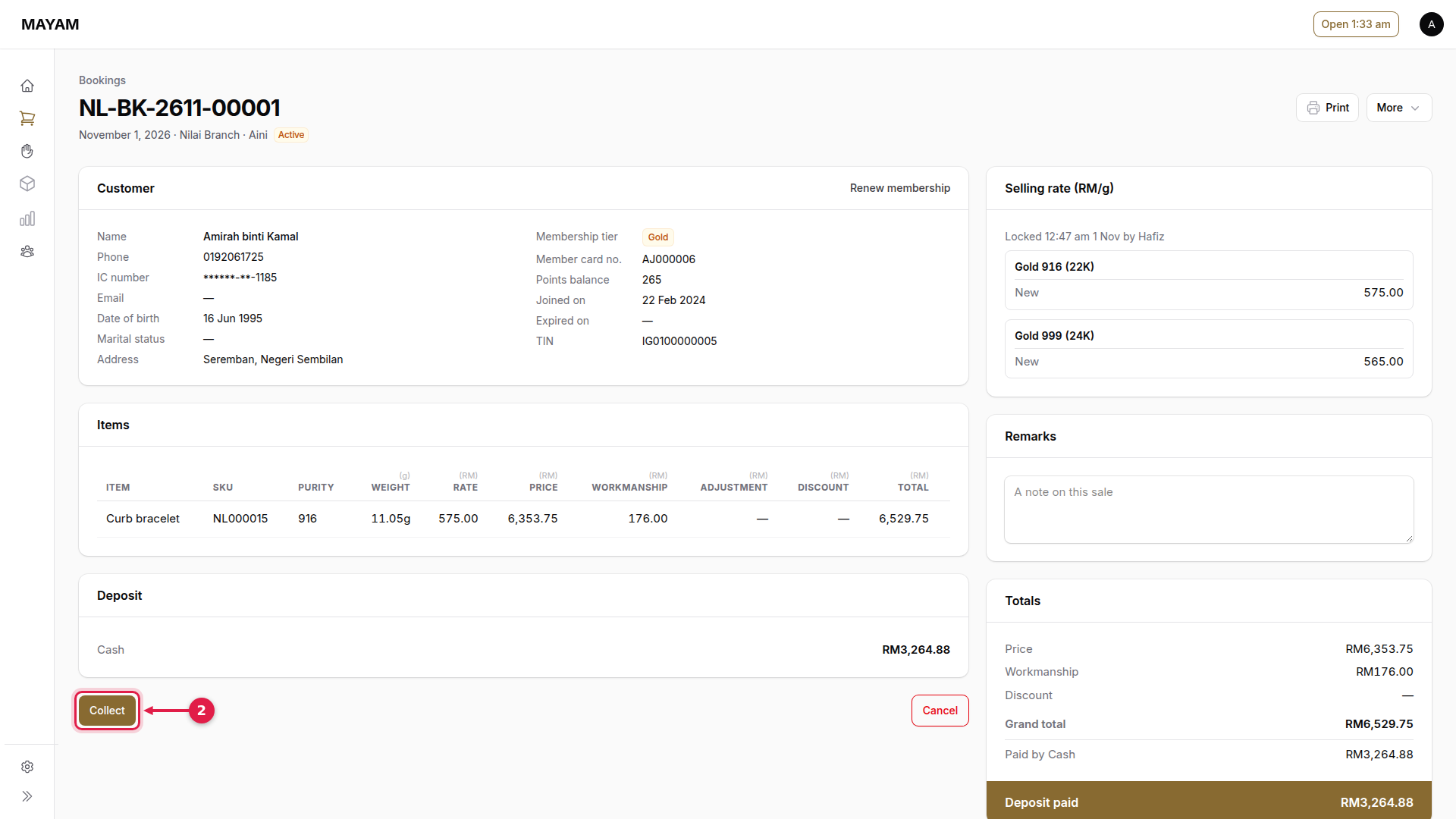
2. Press Collect
The sale opens with the booked pieces at today's rate.
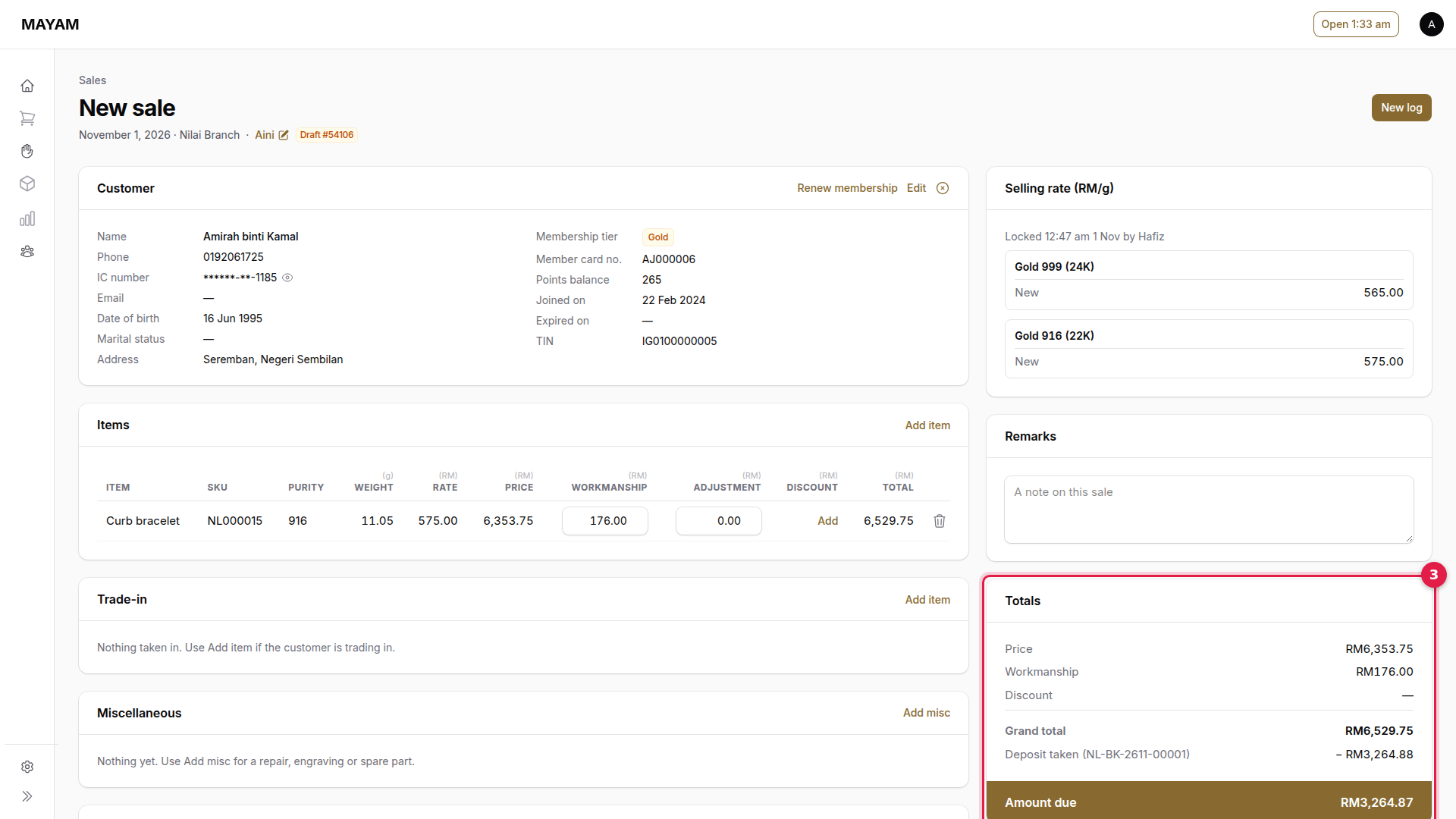
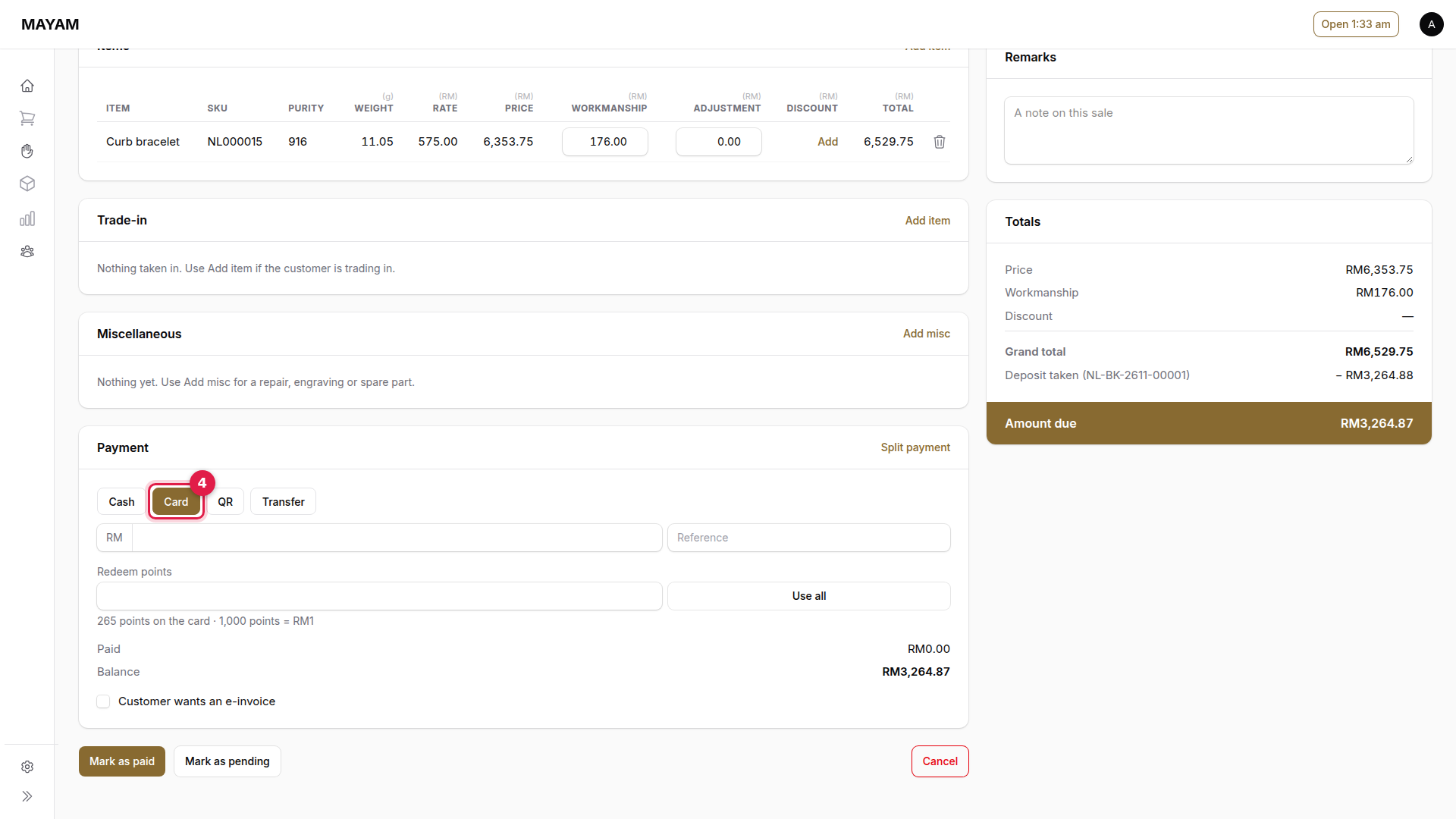
3. Check the amount due
Totals shows the deposit already taken and the Amount due.
4. Choose how the customer pays the balance
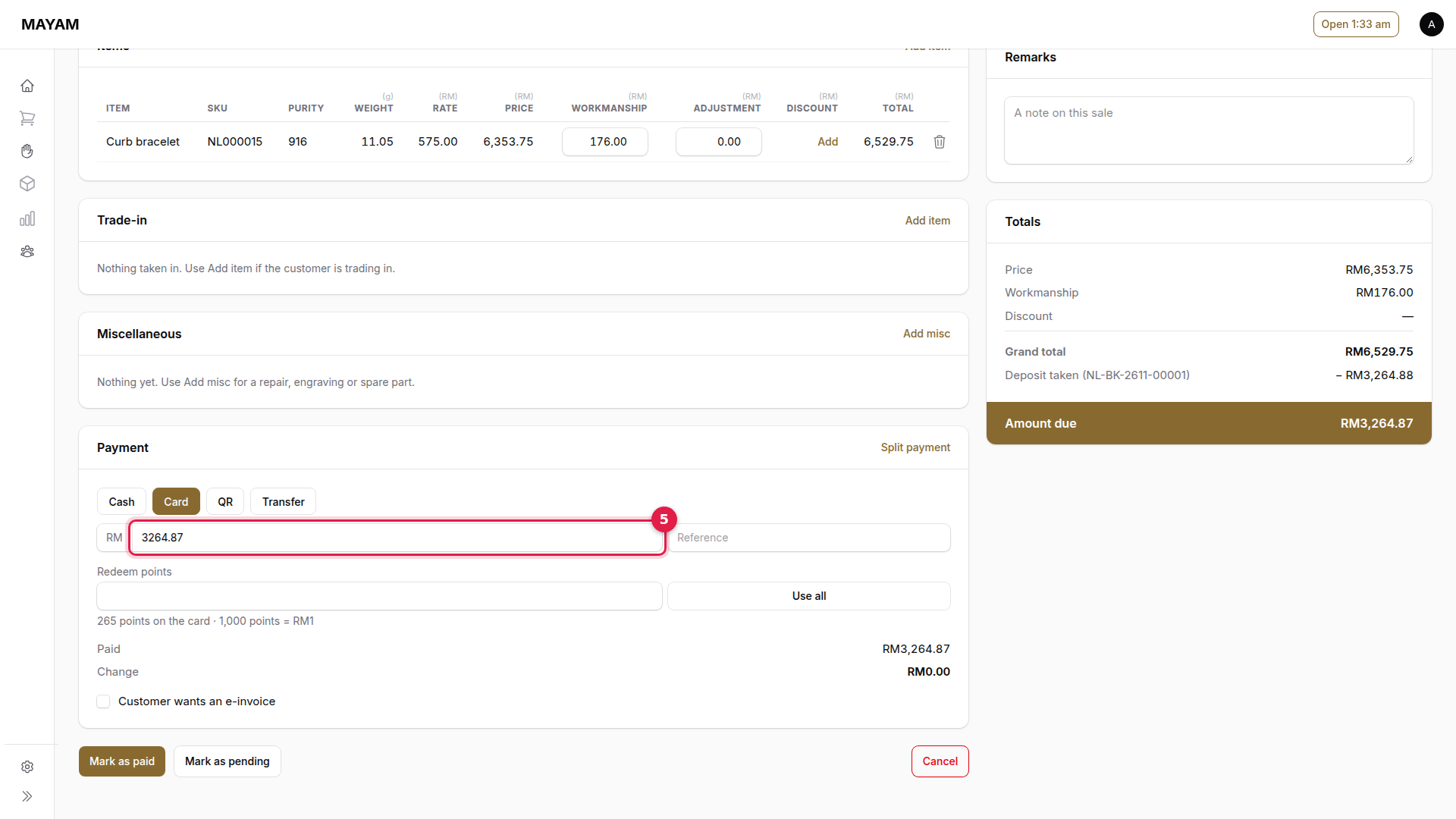
5. Key the amount received
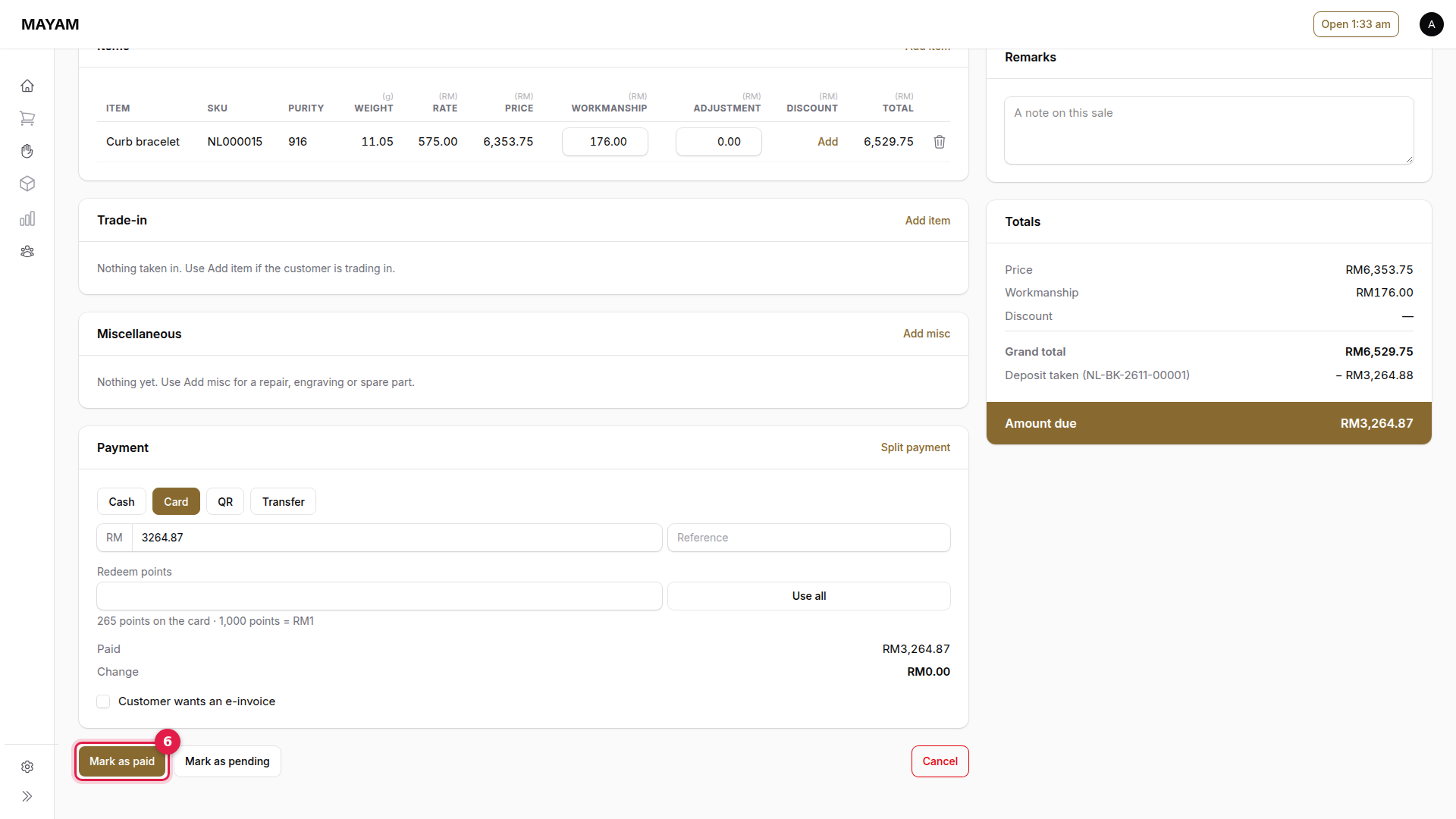
6. Press Mark as paid
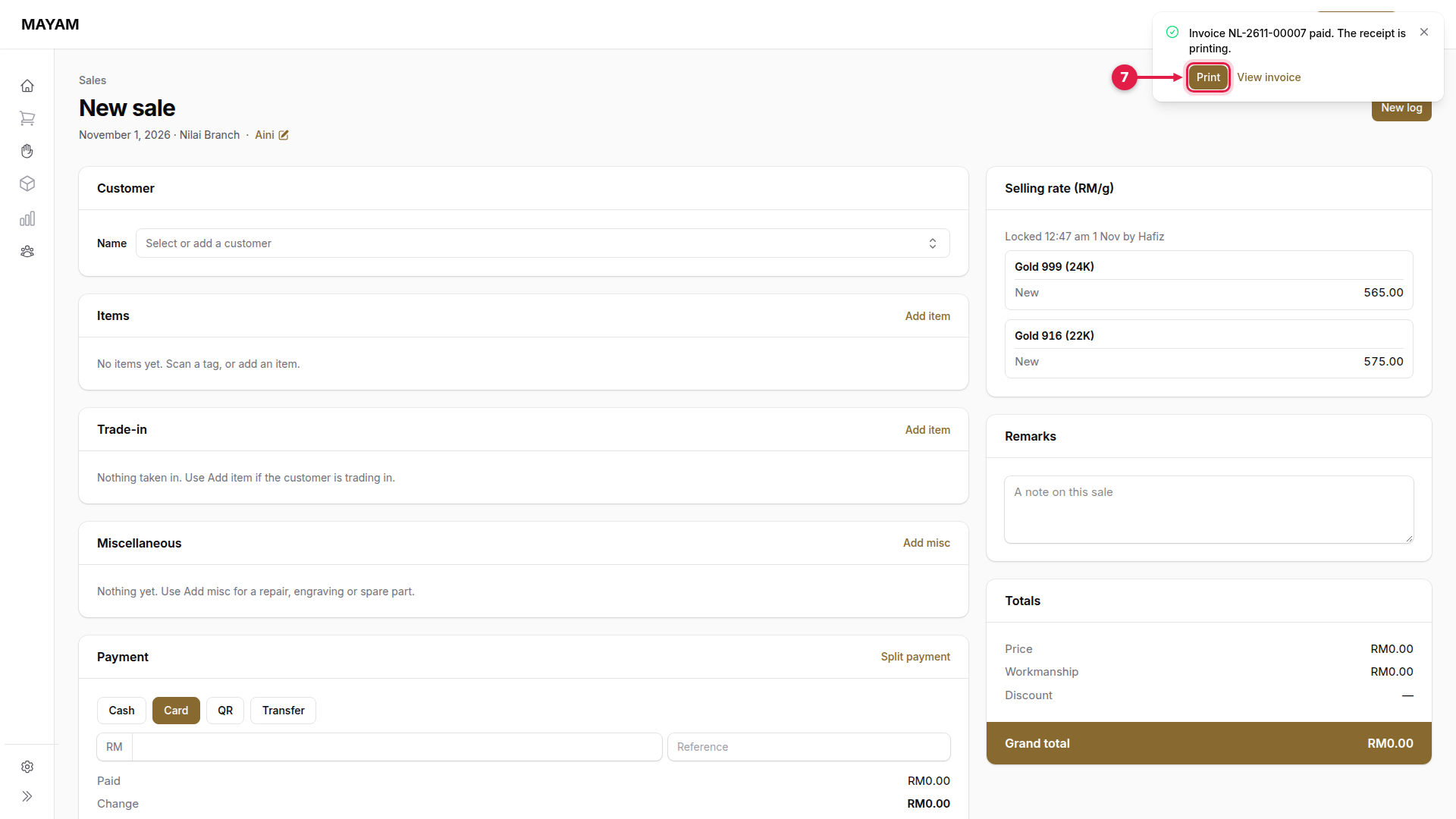
7. Press Print